New lead outreach
Call every new lead quickly, collect information, and define the next step from the very first contact.
Faster response times.


AI agents that call your leads, identify interest, and log every conversation in Zoho CRM

How it works
Reach your entire database without adding hours to your team’s workload. You define the view and the goal; DialRun AI talks to each lead, answers their questions, and identifies who wants to move forward.
Select a Zoho CRM view and set the purpose of the call: contact new leads, follow up, re-engage, or qualify.
AI agents contact each lead at scale, following the scripts, languages, and criteria defined by your business.
During the conversation, AI answers questions, assesses interest, and identifies when a lead asks to speak with a person.
Interested leads are handed off to your sales team with the call context ready for the next conversation.
Every call is logged and the next step is triggered in your CRM.
Use cases
Use DialRun AI wherever your team needs to reach more people, respond faster, or recover opportunities.
Call every new lead quickly, collect information, and define the next step from the very first contact.
Faster response times.
Call contacts who received a proposal by email and identify who is ready to move forward.
More responses to proposals.
Reconnect with leads and opportunities that lost momentum and find out who is still interested.
Recover lost pipeline.
Call contacts who came through events, webinars, or digital campaigns.
Make more of the demand you generate.
 Zoho CRM integration
DialRun AI works with the leads, contacts, and views your team already manages in Zoho CRM.
Your team does not have to rely on manual notes or disconnected systems: open the record and pick up the conversation where the agent left off.
Real-world results

 In Zoho CRM✓Call logged✓Interest detected✓Next stepIllustration
High interest detected · Real case
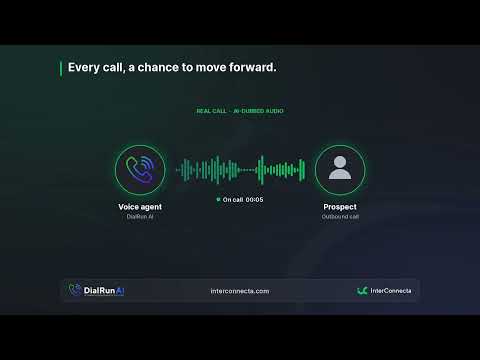
The CEO of a consulting firm in Latin America had not reviewed the proposal sent by email. DialRun AI called him, answered his questions about the content, duration, and cost, and detected strong interest. The prospect asked to speak with an advisor, and the team opened a follow-up opportunity.
“Sure, I’m interested. I’d like someone from the team to contact me later and advise me.”Read the full case
Excerpt from a real conversation. The audio has been anonymized and distorted to protect the contact’s privacy.
The audio could not be played. Open the recording
InterConnecta internal pilot
In InterConnecta’s first internal pilot, DialRun AI made more than 200 calls in one morning, compared with around 80 calls per day made manually by the team.
Read the case studyDialRun AI does not necessarily eliminate every preparation step. Its main value is automating the operational work of making calls and logging every interaction.
Brochure
Download the brochure to learn how AI agents handle outbound calls, what gets logged in Zoho CRM, and how to configure DialRun AI for your operations.
InterConnecta
The difference goes beyond the agent. It comes from how it is designed, configured, and integrated into your sales process.
We configure DialRun AI for your Zoho CRM, using your views, fields, and rules.

Processes, automation, and integration with Zoho.
Start with one view and one goal, measure, and expand.
Combine DialRun AI with prospect enrichment and follow-up by email or WhatsApp.
FAQ
Yes. DialRun AI works with your Zoho CRM views and logs every call there.
The languages and markets for each campaign are defined during setup.
Not for the same goal. A lead may receive another call if a different goal is assigned.
No. It expands your team’s outreach capacity. Your team remains responsible for relationships, negotiation, and closing.
A lead database in Zoho CRM, a clear goal for the call, and criteria for measuring results.
DialRun AI
Tell us which database you want to activate, and we’ll show you how to reach it with DialRun AI.